Free • Offline • Open-Source
Mimikatz
– Windows Security Research Tool
Mimikatz is a powerful Windows security research tool designed for learning, experimentation, and authentication analysis. Explore how credentials, hashes, and security tokens work in real environments. Built for students, researchers, and IT professionals — completely free and developed for responsible security testing.
About Mimikatz
Mimikatz is an open-source Windows security research tool originally developed by Benjamin Delpy. It is widely studied by cybersecurity professionals to understand Windows authentication, credential security, and defensive security practices.
This website is an independent educational resource dedicated to explaining Mimikatz, its capabilities, security implications, and responsible use in authorized laboratory environments.
We do not develop, own, or maintain the original Mimikatz software, and we are not affiliated with its original developer.
Our purpose is to provide clear technical guides, educational comparisons, and cybersecurity awareness resources for students, researchers, and IT professionals.
Powerful Mimikatz Features
Every feature is designed to support ethical learning, security research, and controlled Windows authentication testing.
Safe Experimentation
Run credential and authentication tests in controlled lab environments to study Windows security behavior safely.
Plaintext Extraction
Extract plaintext credentials from memory to understand Windows authentication processes for research and training.
Hash Dumping
Retrieve NTLM and other credential hashes to study password storage mechanisms and identify security weaknesses.
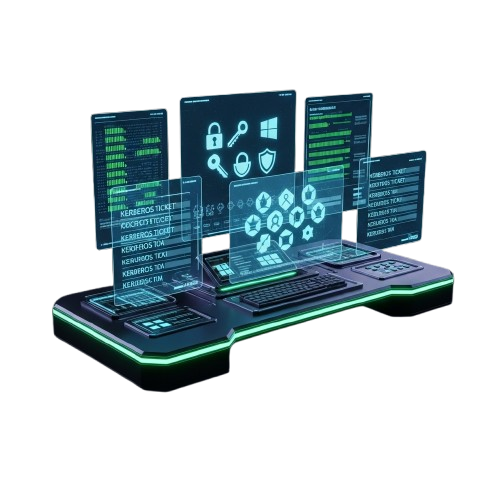
Kerberos Ticket Analysis
Analyze Kerberos tickets to understand ticket-based authentication and explore potential security risks.
Command-Line Interface
Use a lightweight CLI designed for fast execution, advanced scripting, and efficient automation of Windows security testing tasks.
Offline Operation
Run completely offline in isolated lab environments for secure and private Windows authentication testing and research.
Detailed Output Logs
Generate structured, readable logs to analyze results, document findings, and support security research workflows.
Credential Testing Tools
Simulate authentication scenarios to analyze system behavior and identify potential Windows security weaknesses.
Multi-Compatibility
Test across multiple Windows versions to ensure consistent lab experiments and comparative security research.
Downlaod Mimikatz
Explore educational resources about Windows authentication, credential protection, Kerberos security, and NTLM authentication. Our goal is to help cybersecurity students, researchers, and IT professionals understand authentication-related security risks and defensive best practices. This website provides independent educational content and does not host or distribute executable software downloads.
- Supports multiple Windows versions
- Offline Lab Use Recommended

Understanding Mimikatz in a Safe Research Environment
Learn Windows Authentication
Understand how Windows authentication, credentials, Kerberos tickets, and NTLM hashes work.
Study Security Risks
Explore why credential extraction techniques are important to understand for defensive cybersecurity research.
Use Authorized Lab Environments
Security research should be performed only in isolated environments with proper authorization.
Follow Responsible Security Practices
Protect sensitive data, maintain accurate documentation, and follow organizational security policies.
Why People Why Study Windows Authentication Security?
In a world of security tools, Mimikatz stands out. Here’s why it’s the preferred choice for students, researchers, and IT professionals learning Windows security.
Safe Labs
Conduct experiments safely in controlled lab setups, protecting production systems and sensitive data while learning Windows security.
Offline & Secure
Runs fully offline in isolated lab environments, keeping all tests, extracted credentials, and research data completely private and secure.
User-Focused Design
Clear outputs, CLI access, and structured logs make learning Windows security easier, faster, and more efficient for security researchers.
Lightweight & Efficient
Fast execution with minimal system impact, perfect for virtual machines, lab setups, and running multiple security tests simultaneously and efficiently.
Ethical Learning
Supports responsible Windows security research, helping students and IT professionals learn authentication and security mechanisms safely.
Reliable & Stable
Consistent and stable performance across different Windows versions and lab environments for dependable research and experimentation.
Mimikatz Compatibility & System Requirements
| Category | Requirement | Compatibility | Details |
|---|---|---|---|
| Operating System | Windows Version | Supported | Windows 7, 8, 10, 11 (64-bit recommended) |
| Device Type | Desktop / Laptop | Fully Supported | Optimized for virtual machines and lab setups |
| Device Type | Server | Supported | Works on Windows Server 2012 and above |
| Storage | Minimum Space | Low Requirement | Requires less than 50MB storage |
| Internet | Offline Usage | Fully Functional | No internet required for offline lab experiments |
| Security | Data Storage | Local Only | All credentials and outputs stored locally in isolated lab environment |
Guide for Mimikatz
Loved By Thousands




Frequently Asked Questions
What is Mimikatz?
Mimikatz is a Windows security research tool for learning, testing authentication, and analyzing credentials safely.
Is Mimikatz free to use?
Yes, Mimikatz is completely free for ethical security research and educational purposes.
Which Windows versions does Mimikatz support?
Mimikatz works on Windows 7, 8, 10, 11, and Windows Server editions for lab testing.
Can I safely run Mimikatz on my main computer?
For safety, it is recommended to use Mimikatz in isolated lab or virtual machines.
Is Mimikatz secure and private?
Yes, Mimikatz operates offline and keeps all credential tests local, ensuring privacy.
Can Mimikatz extract passwords and hashes?
Yes, it can extract plaintext passwords, hashes, and PIN codes for learning and testing purposes.
Can I use Mimikatz on multiple machines?
Yes, Mimikatz can be installed on multiple lab computers or virtual machines, making it convenient to test different configurations or compare Windows versions safely.
What happens if I restart the computer?
Restarting a system clears memory and active experiments. Always save logs and outputs before rebooting to avoid losing critical data for analysis.
Do I need to configure firewall or antivirus?
Minimal configuration is needed in isolated labs. Some antivirus programs may flag Mimikatz due to its testing capabilities, so allow exceptions for research use.
Can I run Mimikatz on mobile devices?
No, Mimikatz is designed specifically for Windows desktops, laptops, and server environments. Mobile platforms are not supported for credential testing or research.
Does Mimikatz support unattended tests?
Yes, the CLI supports scripting and batch operations, allowing automated credential extraction, hash dumping, and analysis in controlled lab environments.
Can I log experiment results?
Absolutely. Mimikatz provides structured and readable output logs, enabling documentation, detailed analysis, and sharing of findings for educational or research purposes.
Can I use Mimikatz for penetration testing?
Only in ethical and authorized lab environments. Mimikatz is designed for research and learning, not for attacking production systems without explicit permission.
Is my data safe from being leaked?
Yes, Mimikatz stores all outputs locally in isolated lab setups. No sensitive data is transmitted over the internet, ensuring complete confidentiality.
Can I analyze Kerberos tickets with Mimikatz?
Yes, Mimikatz allows users to view and analyze Kerberos tickets to study ticket-based authentication mechanisms and understand potential vulnerabilities safely.
Can I manage multiple Windows versions?
Yes, it supports experimentation across different Windows versions, making it ideal for labs that require cross-version comparison of authentication and security behaviors.
Does Mimikatz work without internet?
Yes, Mimikatz is fully offline, ensuring private testing and ethical research without needing an active internet connection or exposing sensitive data.
How fast are credential extractions?
Mimikatz is optimized for lab environments, providing fast and efficient extraction of passwords, hashes, and tickets even in virtual machines with minimal system impact.
Does Mimikatz support two-factor authentication testing?
Yes, in lab environments, Mimikatz can simulate and analyze authentication scenarios including 2FA to help students and IT professionals understand multi-factor security mechanisms.
Can I lock a system while testing?
Lab systems can be locked while experiments run. Mimikatz continues executing scripts and logging results, making it safe for unattended ethical testing.
Are updates automatic?
No, Mimikatz requires manual updates. Researchers should download the latest releases from the official repository to ensure compatibility and access to new features.
Can I use Mimikatz for business IT support?
Only for internal lab testing and educational purposes. Mimikatz is not intended for live production support or unauthorized security testing on business systems.
Can I share logs or drag-and-drop files?
Yes, output logs and extracted data can be exported for analysis, documentation, or collaboration within ethical research projects and controlled lab setups.
Where can I download Mimikatz?
Mimikatz can be safely downloaded from the official GitHub repository or verified security research sources, ensuring authenticity and up-to-date features.
Mimikatz – Hands-On Tool for Windows Security Exploration
Explore Mimikatz, a powerful Windows security tool for credential analysis, penetration testing, and advanced cybersecurity research and learning.
Price: Free
Price Currency: $
Operating System: Windows
Application Category: Software
4.7